A while back, we wrote a how-to blog post on using the embed code from YouTube's "share" option, and many users rejoiced at how easy it was!
I recently saw in the "Users of MadCap Flare" LinkedIn group that someone noted differences in the embed code when trying to use Vimeo as your video hosting service. Below you'll find the steps to follow to embed a Vimeo video into a Flare topic. While the steps are similar, you'll have more options on what you can include (such as a creator caption), and can specify the size of the video directly in the "share" option.
Step 1. Find the video you want to embed on Vimeo. (Create an account on https://vimeo.com/ and upload your own if necessary.)
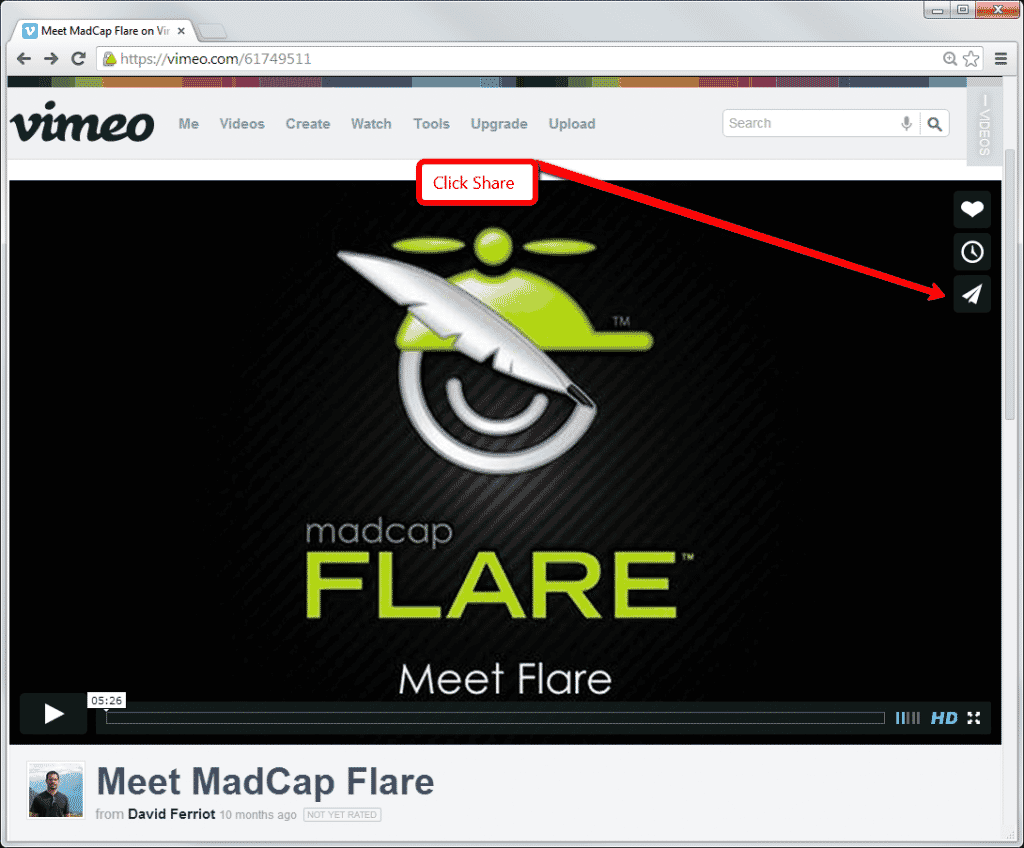
Step 2. When you hover your mouse over the video in Vimeo, a "share" paper airplane icon appears in the top right side of the frame. Click the icon to get to the "share options" dialog.
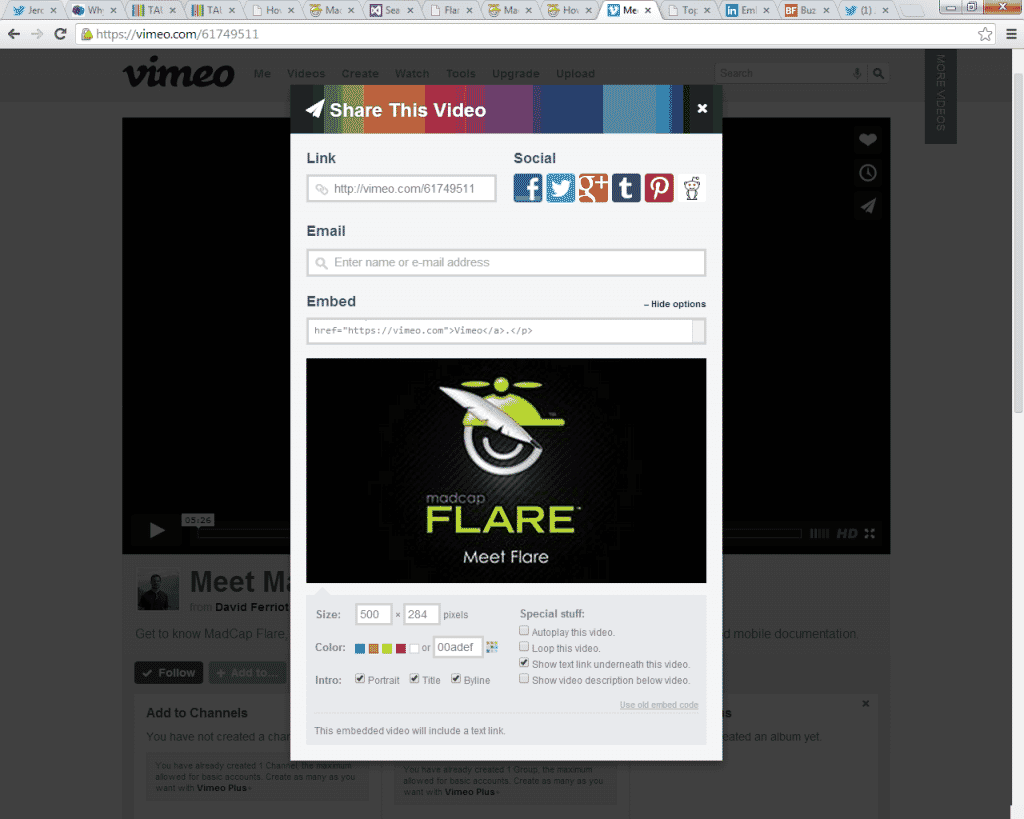
Step 3. Click in the “Embed” field and copy the code provided by Vimeo.
Step 4. Open the topic, and paste the embed code using the internal text editor where you'd like the video to exist in your topic.
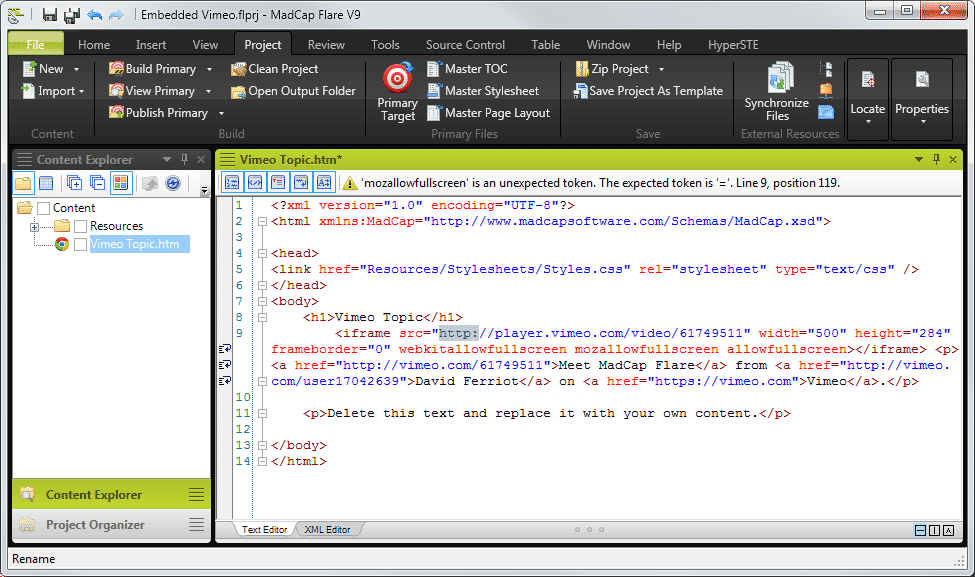
Just like when embedding YouTube videos, there’s still one bit of editing you need to do to make it work properly in Flare. The embed code contains the attributes frameborder=0 and "allowfullscreen" seems to be missing its value (Flare should also throw an error message as well).
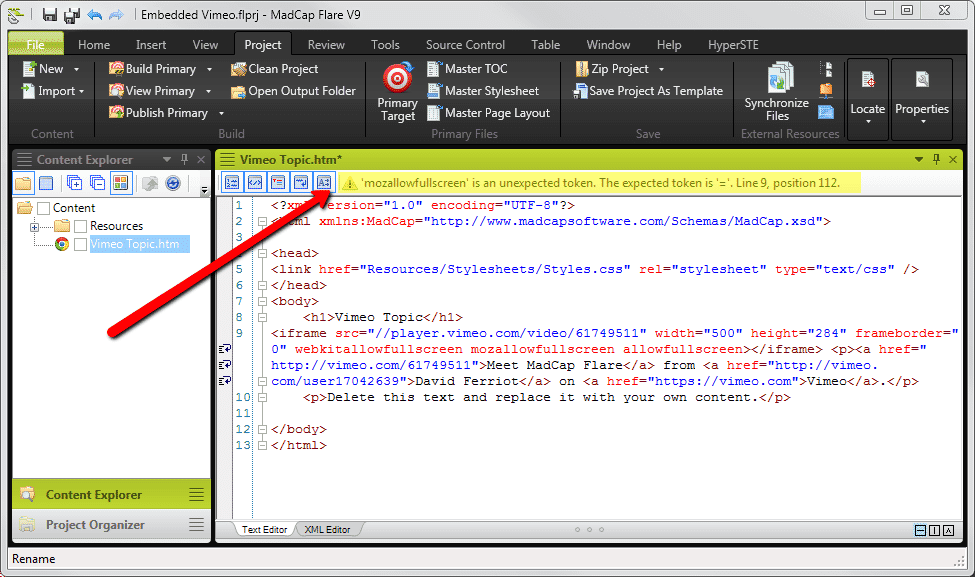
Step 5. Modify the code, adding the http:// reference, and for browsers: allowfullscreen="1" for yes, and "0" for no, to disable the ability. Your code should then look like this:
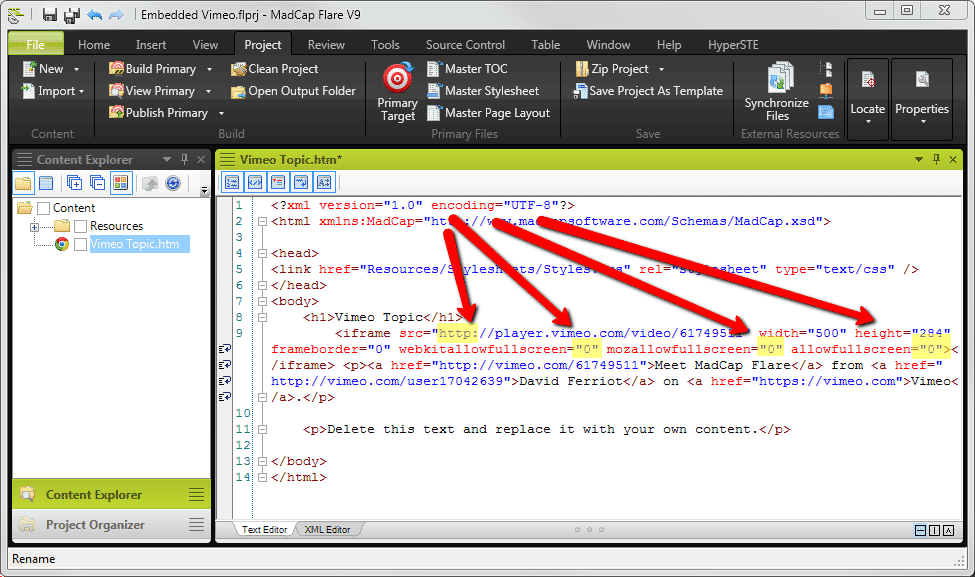
After you've added the attributes, save the topic. You can either preview the topic to see the embedded video, or build your Web target and view the output.
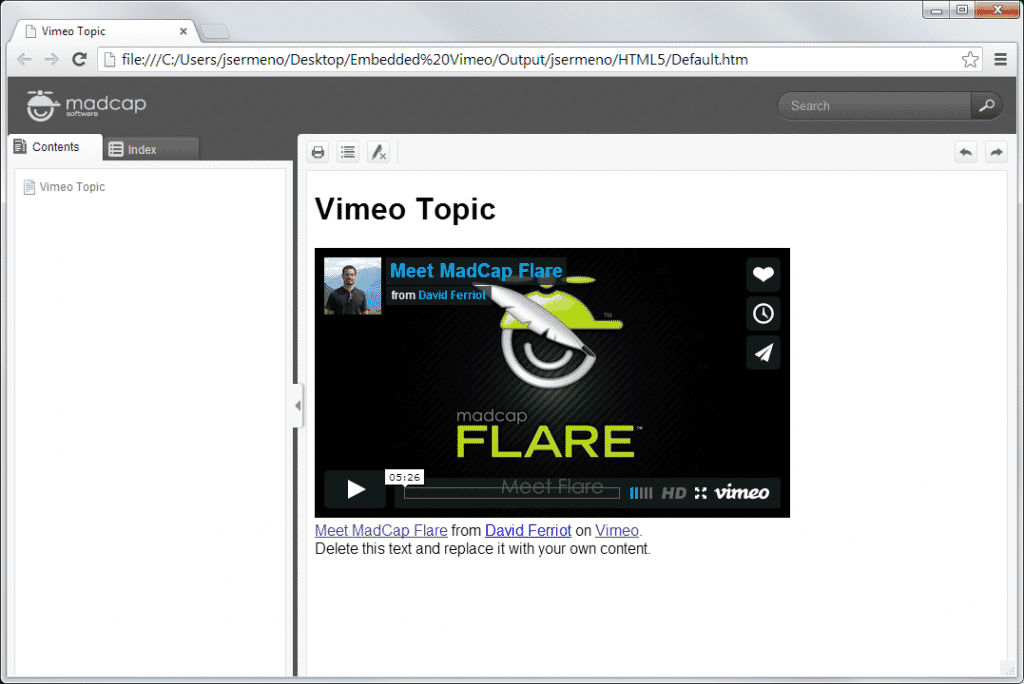
And you're finished! Here's the video embedded in Flare's HTML5 output.
Vimeo over YouTube?
MadCap Software doesn't have a preference for which hosting service you use, and you shouldn't see any difference in performance from each respective provider (their product managers may beg to differ!). Feel free to respond using the fields below with any questions, or if you have any additional comments.